Category
·
Electronics & Gadgets
Store
·
Shopee
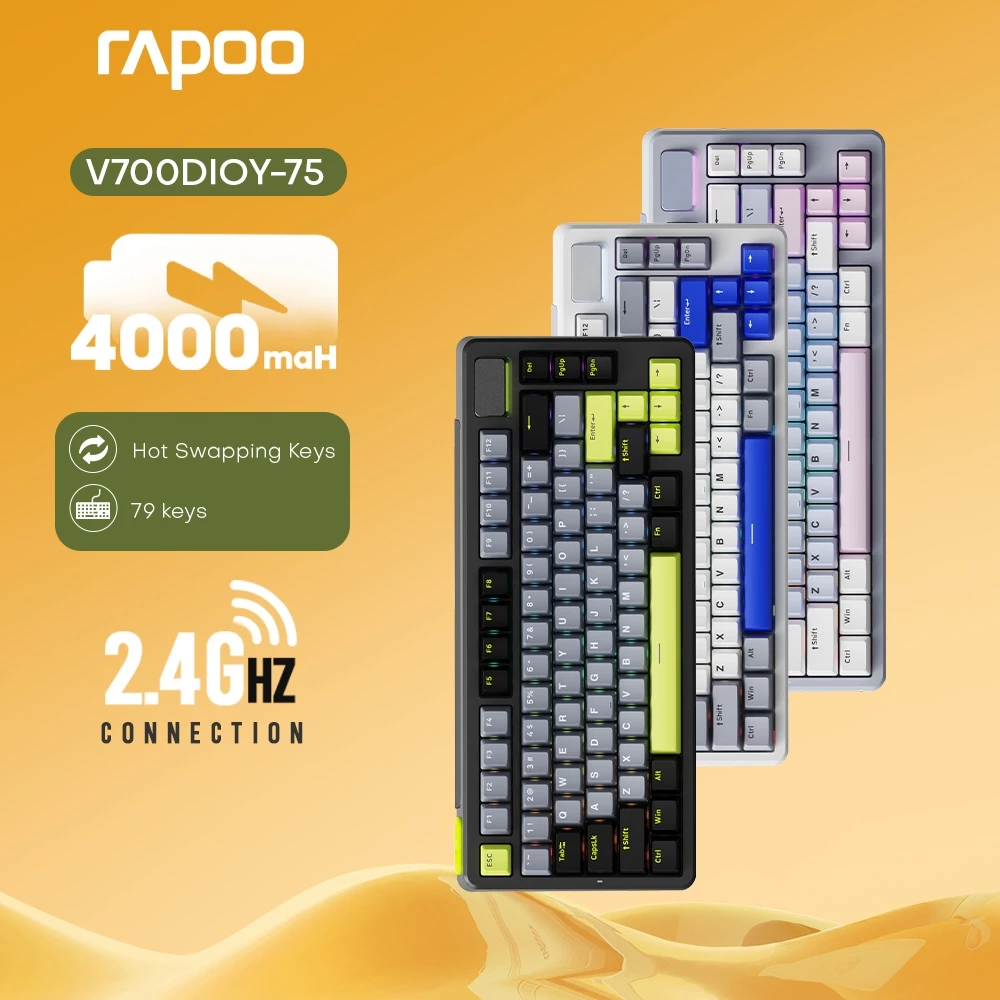
67% OFF Rapoo V700DIY-75 Mechanical RGB Wired Bluetooth 2.4G Gasket Structure Hot-swap Gaming Keyboard
₱
2,667.00
₱7,999.00
-67%
Valid Until
September 27, 2026 (1 month ago)
Description
Welcome to Rapoo Computer Accessories where we strive to provide our customers an array of products that satisfy demand for quality and efficiency.
Buy our products from Shopee in a worry-free manner as we guarantee 100% original & new stock product, enjoy your shopping at our store, have a nice day!
RAPOO V700DIY-75 Mechanical Keyboard 79Key RGB Tri-Mode Wired/Bluetooth/2.4G Gasket Structure Hot-swap Gaming Keyboard
Product Dimensions: 326*143*42mm
Product Weight: 848g
Keys: 79 keys
USB Polling Rate: Wired/2.4G Mode: 125-250-500-1000Hz (switchable)
Structure: Flexible Gasket Structure
Switches: Kailh Custom Quick Silver Switches | 50 Million Keystroke Lifespan (This Rapoo V700DIY-75 keyboard uses Kailh Quick Silver switches, a linear switch. Its actuation force is 35±10gf, and the actuation distance is 1.2±0.4mm, featuring rapid actuation and a smooth, fluid experience.)
Hot-Swapping: Full Key Support
Positioning Board: Horizontal Slotted PC Positioning Board
Internal Filling: 7 Layers of Noise Reduction
Keycap Height: OEM
Keycap Material: PBT
Lighting: Approximately 16.8 Million Color RGB Backlighting System
LED Position: Bottom LED Position
Connectivity: Bluetooth/Wireless 2.4G/Wired
Battery Capacity: 4000mAh
Operating Guide 2.4G Mode
1: Switch the mode to 2.4G.
2: Plug in the receiver to use.
Bluetooth Mode
1: Switch the mode to Bluetooth.
2: Press and hold Fn+1/Fn+2/Fn+3 to enter Bluetooth pairing mode.
The device indicator light below the corresponding 1/2/3 key will flash blue rapidly.
3: Connection successful, the corresponding key channel indicator light will stay on for 3 seconds.
Wired Switching
1: Switch the mode to the middle position.
2: Plug in the wired cable to use. Supports charging while in use.
Keyboard factory default backlight operation mode switching tutorial. More backlight modes can be adjusted in the driver.
1. Key Backlighting, Mode Switching
Fn+PgUp: Switch lighting modes in forward order
Fn+PgDn: Switch lighting modes in reverse order
2. Key Backlight Switch
Fn+Esc: Short press to turn lighting on/off
Fn+Esc: Long press for 3 seconds to restore factory settings
3. Backlight Effects, Speed Adjustment
Fn+→: Speed +
Fn+←: Speed -
3. Backlight Effects, Brightness Adjustment
Fn+↑: Brightness +
Fn+↓: Brightness -
4. Side Light Strips, Mode Switching
Fn+/: Mode
Fn+Del: Single color constant/breathing color
Notes
1: Data source is from our company's laboratory environment testing. Response speed is the theoretical time interval for this product to send data to the computer.
2: Data is from laboratory testing.
3: Data is from laboratory testing.
4: Bluetooth 5.0 requires Windows 7 or later operating system to use.
5: Comparison with Rapoo mechanical keyboard structure.

KVilla
1 month ago
16 views
0 comments
Comments 0
Login to join the discussion
Loading comments...
No comments yet. Be the first to comment!
Report Comment
Deal Information
- Posted
- Sep 23, 2026
- Expires
- Sep 27, 2026
- Views
- 16
- Upvotes
- 8
- Downvotes
- 0
Get Notified
Subscribe to get notified when new deals from this store are posted.
Subscribe to Category
Get notified when new deals in Electronics & Gadgets are approved.
